You can cancel your subscription at any time, without giving a reason, from your professional area. No letter and no phone call are needed.
Where to cancel
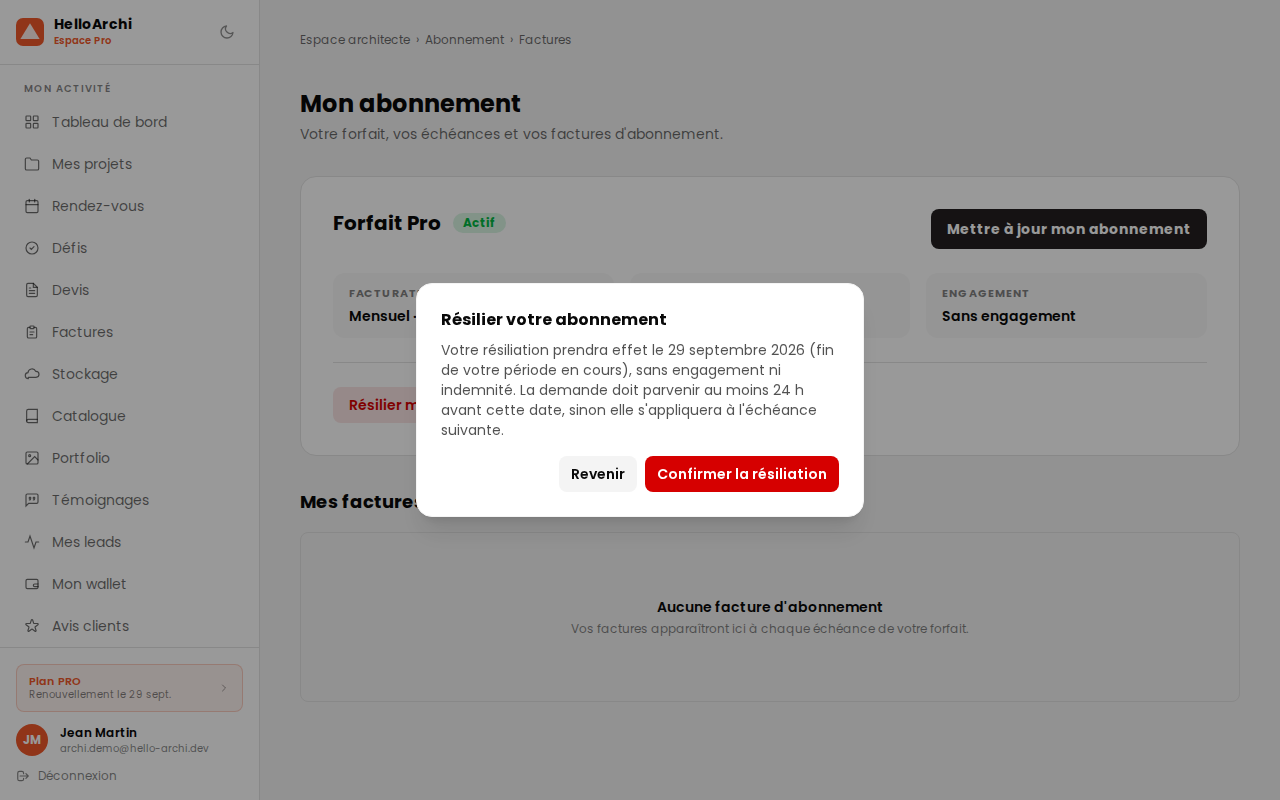
In your professional area, open My subscription. Two routes lead there:
- your plan card, at the bottom of the side menu (“Plan Pro”, with your renewal date);
- or the My subscription entry in the menu, under Account — scroll the menu down to see it.
The “Cancel my subscription” button sits below the summary of your plan. A confirmation screen then shows the exact date on which the cancellation will take effect, before you validate with “Confirm cancellation”.
Read that date: it is the one that counts, and it depends on your plan.
When the cancellation takes effect
During the free trial
If you are still within your free trial, cancellation is immediate. Nothing is charged, and no commitment starts.
Monthly plan
Cancellation takes effect at the end of the period you have already paid for, with no minimum term and no penalty. You keep access to every feature until that date, and no further invoice is issued afterwards.
That date is not the end of the calendar month: it is the end of your period, the one running since your last payment.
Yearly plan
The yearly plan carries a firm twelve-month commitment, which is what pays for its reduced rate. Cancellation takes effect at the end of that period. Once the commitment has run its course, the subscription renews year by year, and cancellation then takes effect on the next anniversary date.
The 24-hour notice
Your request must reach us at least 24 hours before the renewal date. After that, it remains valid but applies to the next renewal: the period that has just started is due.
In practice, if your renewal falls tomorrow and you cancel tonight, your subscription runs until the following renewal. The confirmation screen accounts for this and shows you the date actually applied.
After cancellation
- you keep access to your plan until the effective date;
- instalments falling after that date are no longer due;
- your quotes, invoices and documents remain available;
- on the effective date, your account moves to the free plan.
Reversing your decision
Until the effective date is reached, your subscription is still active and you can change your mind: an “Undo cancellation” button appears on the same page. Your subscription then continues as before, with no new sign-up and no fee.
Refunds
Cancelling ends the renewal; it does not refund the current period, which remains due and which you keep the use of until it ends.
The full terms are set out in article 4.3 of our terms and conditions of sale.